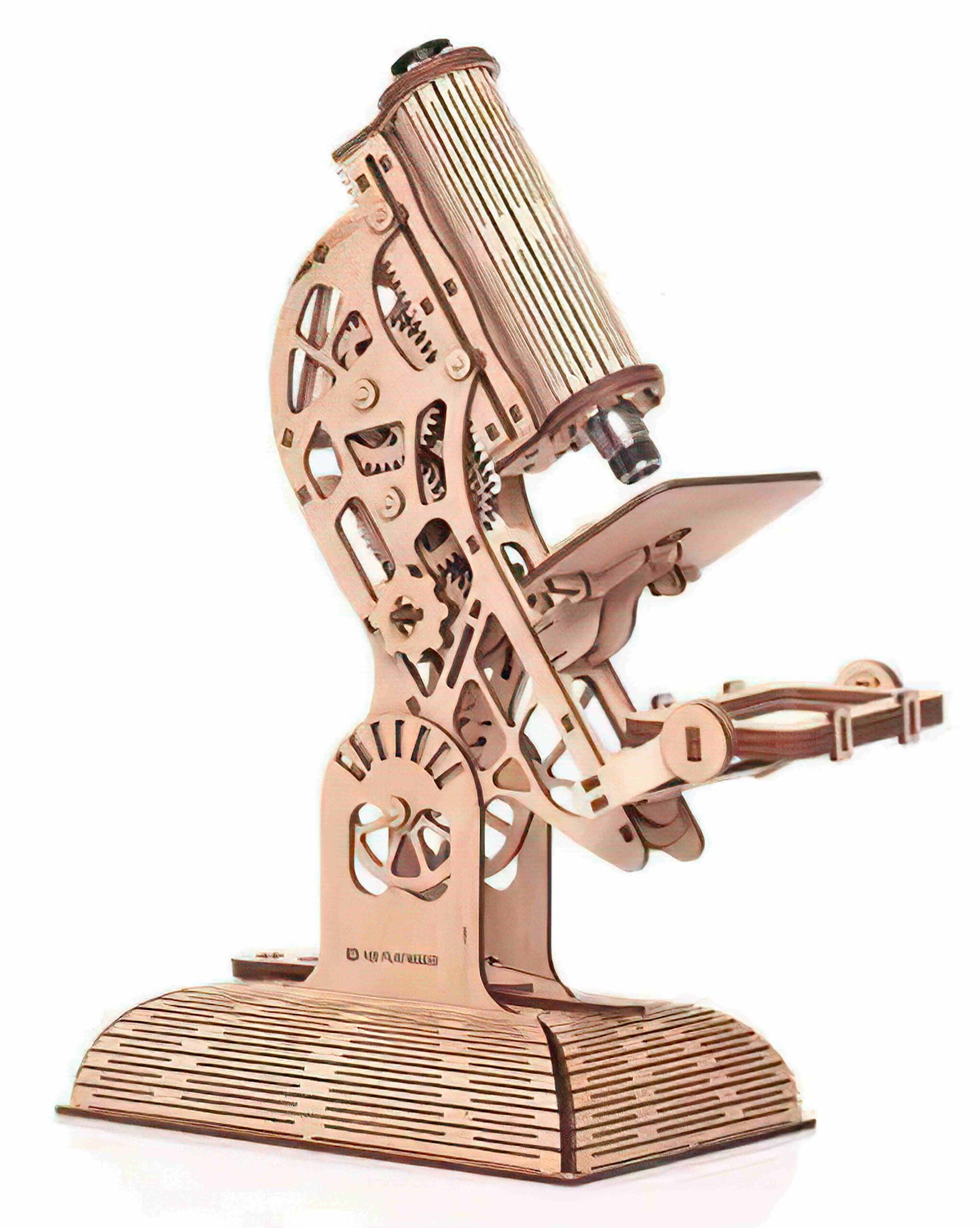
In the world of DIY making and STEM education, few projects combine technical precision with aesthetic beauty quite like a laser-cut 3D microscope puzzle. Whether you are a hobbyist looking for your next weekend project, a teacher wanting to inspire students, or an Etsy seller searching for the next “bestseller” file, this guide is for you.
In this post, we provide high-quality vector files (DXF, CDR, AI, and SVG) for a functional-style decorative microscope and a deep dive into how to master the assembly process.
Why Laser-Cut 3D Puzzles are Booming in the USA
The “Maker Movement” in the United States has seen exponential growth. From community makerspaces in New York to home garages in Texas, people are moving away from mass-produced plastic toys toward sustainable, Plywood 3D Puzzles.
- Educational Value (STEM): Parents are constantly searching for “STEM toys” that teach kids about optics and mechanics.
- Eco-Friendly Decor: Wooden puzzles serve as sophisticated office decor.
- High Resale Value: Finished, hand-painted models can sell for $40–$80 on platforms like Etsy or at local craft fairs.
Technical Specifications for the Microscope Project
Before you hit “Print” on your Glowforge, Boss Laser, or LightBurn software, you need to ensure your materials match the file dimensions.
| Feature | Specification |
| Material Thickness | 3mm or 1/8 inch (Adjustable in AI/SVG) |
| Recommended Wood | Baltic Birch Plywood or MDF |
| Cutting Time | Approx. 15–25 minutes (depending on laser wattage) |
| Assembly Level | Intermediate |
| Software Compatibility | CorelDraw, Adobe Illustrator, Inkscape, LightBurn |
Understanding the Vector File Formats
When you download the “Laser Cut Microscope 3D Puzzle” package, you will receive four primary file types. Here is why each one matters:
1. DXF (Drawing Exchange Format)
The industry standard for CAD. If you are using professional CNC machinery or older laser software, the DXF file is your best bet for keeping dimensions exact.
2. SVG (Scalable Vector Graphics)
The gold standard for web-based design and modern desktop cutters like the Glowforge or Cricut. SVGs are easy to resize without losing quality.
3. CDR (CorelDraw)
Favored by many professional laser engraving shops. Our CDR files are layered, allowing you to easily separate “cut” lines (red) from “engrave” lines (black).
4. AI (Adobe Illustrator)
Best for those who want to add artistic flair, custom logos, or intricate engravings to the microscope’s base.
Step-by-Step Assembly Guide
Creating a 3D puzzle is about more than just cutting wood; it’s about the “friction fit.”
Step 1: Material Preparation
Sand your plywood before cutting. It is much easier to sand a flat sheet than dozens of tiny puzzle pieces. Use 220-grit sandpaper for a smooth finish.
Step 2: Laser Settings
For a standard 60W CO2 Laser, try these starting points (always do a test cut!):
- Speed: 20 mm/s
- Power: 45%
- Frequency: 500 Hz
Step 3: The Base and Arm
Start with the heavy base. Most microscope designs utilize a “tab-and-slot” mechanism. If the pieces are too loose, a drop of wood glue (Cyanoacrylate or CA glue) will secure them permanently.
Step 4: The Optical Tube
The “lens” area of the puzzle is the most intricate. Carefully align the circular discs to create the barrel of the microscope. This is where your precision laser cutting really shines.
Step 5: Finishing Touches
You can leave the wood natural for a “Scandi” look, or use wood stains (Walnut or Mahogany) to give it an antique scientific instrument vibe.
laser cut microscope Click on the download button and save the file on your computer to work, edit or customize your design. You can also find more 3D designs on our website
laser cut microscope
If you own a laser business, this microscope file is a goldmine. Here is how to maximize your earnings:
- Sell the Physical Kit: Package the flat-cut boards in a nice box with a small piece of sandpaper and instructions. Sell it as a “DIY Scientist Kit.”
- Custom Engraving: Offer to engrave a child’s name or a school logo on the microscope base for an extra $5–$10.
- Local Schools: Reach out to science departments. They often have budgets for educational models that students can build.
Laser Cut 3D Puzzles” in the USA
- Free DXF files for laser cutting 3D puzzles
- Wooden microscope model laser cut pattern
- Glowforge projects for science teachers
- Best plywood for 3D wooden puzzles
Conclusion
The Laser Cut Microscope 3D Puzzle is more than just a toy; it’s a bridge between technology and art. By downloading the DXF, SVG, or CDR files, you are starting a journey of precision engineering.
Safety Note: Always wear laser-safe goggles when operating your machinery and ensure your exhaust system is functioning to remove wood smoke and fumes.
Frequently Asked Questions (FAQs)
Q: Can I resize the file? A: Yes, but remember that if you resize the puzzle, the “slots” for the wood will also change. You must use wood that matches the new slot width.
Q: What wood is best for 3D puzzles? A: Baltic Birch is the favorite among US makers because of its consistent density and minimal voids, which prevents the laser from failing to cut through.
Q: Do I need glue? A: Most of our designs are “press-fit,” but because wood thickness can vary slightly (even 0.1mm), keeping some wood glue nearby is always a good idea.
laser cut microscope
Free Dxf cutting design. These designs can be used to make beautiful coasters they can be used for other purposes too. Download it for free and enjoy.
Files included high-resolution images and 2d drawings in pdf format. It can be cut on a CNC laser, plasma cutter, or wood CNC routers.
You can easily modify the dxf files with any cam software. You can scale it as per your requirements.
About The File
These designs are distributed for free. You can download and use it for personal or commercial purposes.
laser cut microscope
File information
After downloading, you will get a zip file with dxf and images inside.
File format: svg
Size: 800 kb
Software Support: Corel draw
The file is available for instant download. After downloading, you will get a pdf file. The file is ready to cut and easy to modify. You can easily scale or modify the dxf vector file with any cad software. Dxf files can be opened on any cad software. You can easily open it on Artcam, Aspire, and Jdpaint.
Disclaimer
You can use this design unlimited times for your personal purpose. make commercial products using this design. You are not allowed to sell, share, exchange or redistribute this file with others. If we found a violation of the license we will cancel your membership and restrict your access to this website by blocking your IP address.
Important
This is a computer-drawn 2d cad design. After purchase, we deliver the digital files only. We don’t take or deliver any physical products.
Before purchasing or downloading make sure you have the right machine. This design is for CNC wood routers only.
If you don’t know how to use this design maybe this is not for you. We recommend you learn about CNC first.
All of the designs or 3d models are available for free download in our membership plan. Upgrade to a membership plan and save money.
laser cut microscope
We created this website system because of our passion and not for profit. Maintaining a system with limited funding is very difficult. We look forward to receiving your support. If you feel my system is beneficial to you, please help us share this website with your friends. That will give us the incentive to do better. thank you!