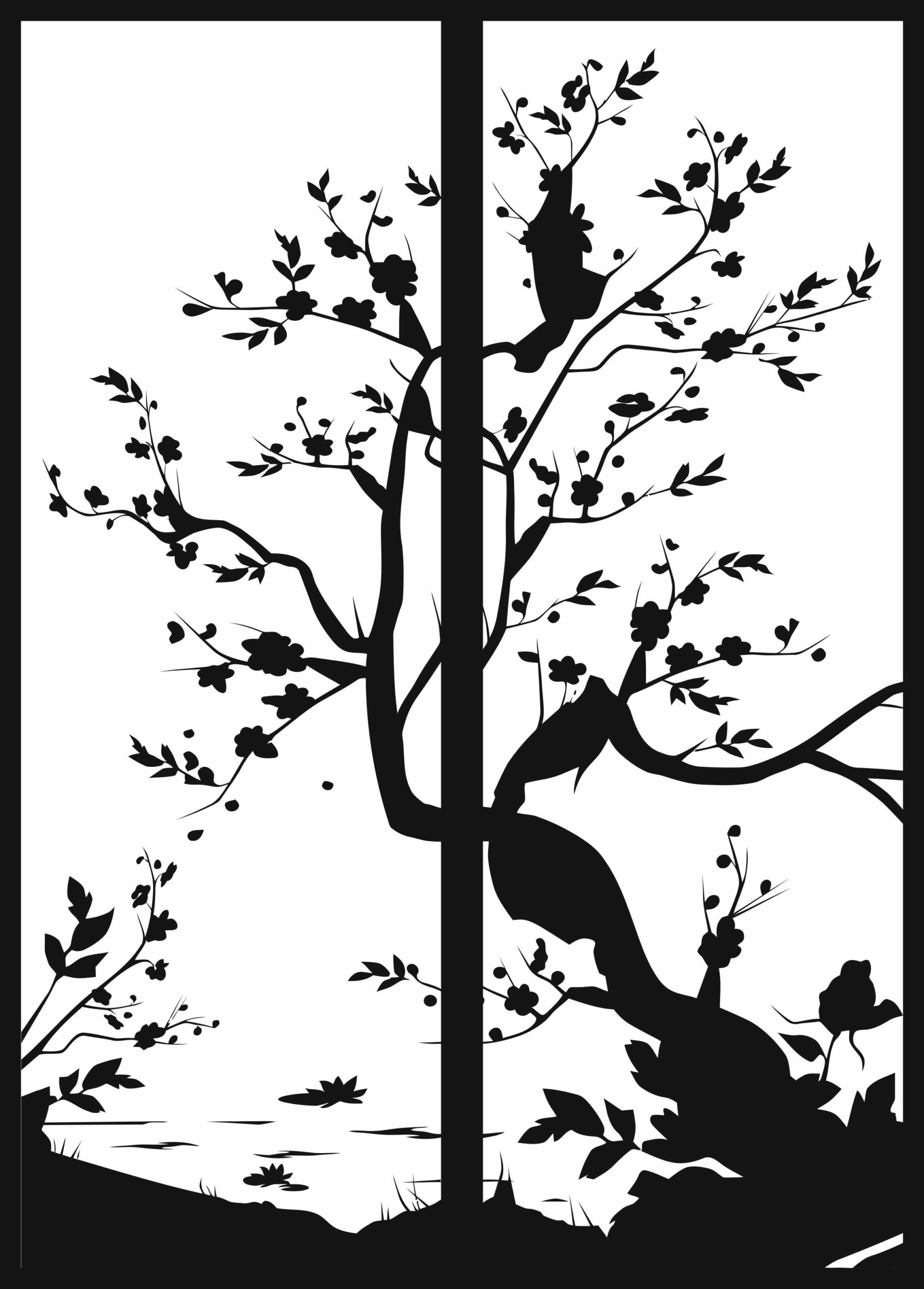
Introduction
Tree scenery drawing is one of the most beautiful and popular styles of artwork inspired by nature. From ancient paintings to modern digital illustrations, artists have always been fascinated by landscapes filled with trees, mountains, rivers, and peaceful environments. These drawings represent calmness, beauty, and the natural balance of the world.
In modern design industries, tree scenery drawings are not only used for art and illustration but also for vector designs used in CNC cutting, laser cutting, wall decoration, interior design, and creative digital projects.
Designers and creators often convert tree scenery drawings into vector files such as DXF, SVG, AI, and CDR formats so they can be used on machines like laser cutters, CNC routers, plasma cutters, and vinyl cutters.
In this article, we will explore what tree scenery drawing is, why it is popular, how it is used in design projects, and how you can download and use high-quality tree scenery vector files for free.
What is Tree Scenery Drawing?
Tree scenery drawing is an artistic representation of natural landscapes that include trees as the main element. These drawings often combine multiple components of nature to create a peaceful and visually appealing scene.
Typical elements in tree scenery drawings include:
- Trees and forests
- Mountains or hills
- Rivers and lakes
- Birds and animals
- Sun, moon, or clouds
- Grass and plants
Artists use these elements to create a natural composition that reflects the beauty of outdoor environments.
- Pencil sketch drawing
- Ink illustration
- Digital vector design
- Watercolor painting
- Line art or silhouette design
Why Tree Scenery Designs Are Popular
Tree scenery designs are extremely popular in many industries because they represent nature, peace, and beauty.
1. Natural and Relaxing Theme
Nature-inspired artwork creates a relaxing and calm atmosphere. Tree scenery drawings often represent peaceful environments such as forests, countryside landscapes, or mountain views.
2. Perfect for Wall Art
When cut using a laser cutter or CNC machine, these designs create beautiful wall decorations that enhance interior spaces.
3. Ideal for CNC and Laser Cutting
Tree scenery drawings are very suitable for CNC and laser cutting projects because they contain smooth curves and natural shapes.
- Metal wall art panels
- Wooden decorative panels
- Garden decoration panels
- Privacy screens
- Room divider panels
4. Flexible Vector Format
Popular vector formats include:
- DXF
- SVG
- AI
- CDR
These formats are compatible with most design and cutting software.
Tree Scenery Vector Design for CNC Projects
- Wood
- MDF
- Acrylic
- Metal
- Steel sheets
CNC machines follow the vector lines of the design to cut precise shapes from these materials.
- Decorative wooden panels
- Metal wall art
- Garden gate decorations
- Fence panels with nature patterns
Because tree scenery designs contain organic shapes, they create visually impressive results when cut with CNC machines.
Best File Formats for Tree Scenery Designs
If you want to use tree scenery drawings for digital design or CNC cutting, it is important to use the correct file format.
DXF File Format
DXF (Drawing Exchange Format) is one of the most popular formats for CNC and CAD software.
- AutoCAD
- CNC routers
- Plasma cutting machines
- Laser cutting machines
SVG File Format
SVG stands for Scalable Vector Graphics.
- Laser cutting
- Vinyl cutting
- Cricut machines
- Web graphics
AI File Format
This format allows designers to:
- Modify vector shapes
- Adjust design elements
- Change colors and layers
AI files are perfect for professional graphic design work.
CDR File Format
Many laser cutting and CNC designers prefer CDR files because they are easy to edit and organize.
Creating a tree scenery drawing usually follows a structured design process.
Step 1 – Sketch the Basic Landscape
First, the artist sketches the basic layout of the scenery.
This includes:
- Tree positions
- Mountain shapes
- Ground or hills
- Sky area
The goal is to create a balanced composition.
Step 2 – Add Details
Tree branches
- Leaves or foliage
- Birds or animals
- Sun or clouds
These elements make the scenery more realistic.
Step 3 – Convert to Vector
Designers trace the drawing using software such as:
- Adobe Illustrator
- CorelDRAW
- Inkscape
Vector lines ensure the design can be scaled without losing quality.
Step 4 – Prepare for Cutting
Designers must ensure:
- All lines are connected
- No open vectors exist
- The design has proper spacing
This ensures the machine can cut the design correctly.
Uses of Tree Scenery Vector Designs
Some popular uses include:
Wall Art Decoration
Tree scenery metal wall art is a popular interior decoration choice.
These designs create a natural and artistic look in living rooms, bedrooms, and offices.
Room Divider Panels.
They provide privacy while maintaining a stylish design.
Garden Decorations
Tree scenery designs are perfect for outdoor decorations such as:
- Garden panels
- Fence decorations
- Outdoor wall art
These designs blend naturally with outdoor environments.
Gift Products
- Wooden frames
- Decorative plaques
- Custom wall art
Benefits of Free Tree Scenery Vector Files
Providing free vector files is a great way to help designers and creators start their projects quickly.
Free tree scenery vector files allow users to:
- Save design time
- Test CNC machines
- Practice laser cutting projects
- Create personal decoration items
These files are especially helpful for beginners learning CNC design and vector artwork.
Tips for Choosing a Good Tree Scenery Design
When selecting a tree scenery vector design, consider the following factors.
Design Simplicity
For CNC cutting, simple designs usually produce better results.
Too many small details may cause cutting problems.
Proper Line Thickness
Thin lines may break when cutting materials like metal or wood.
Make sure the design has strong and balanced structures.
Balanced Composition
A good scenery design should have a balanced layout between trees, landscape, and empty spaces.
This improves the final visual appearance.
Download Free Tree Scenery DXF SVG AI CDR Files
If you are looking for a high-quality tree scenery drawing vector design, you can download it in multiple formats including:
- DXF for CNC machines
- SVG for laser cutters and Cricut
- AI for Adobe Illustrator editing
- CDR for CorelDRAW users
You can use them for personal or creative design work.